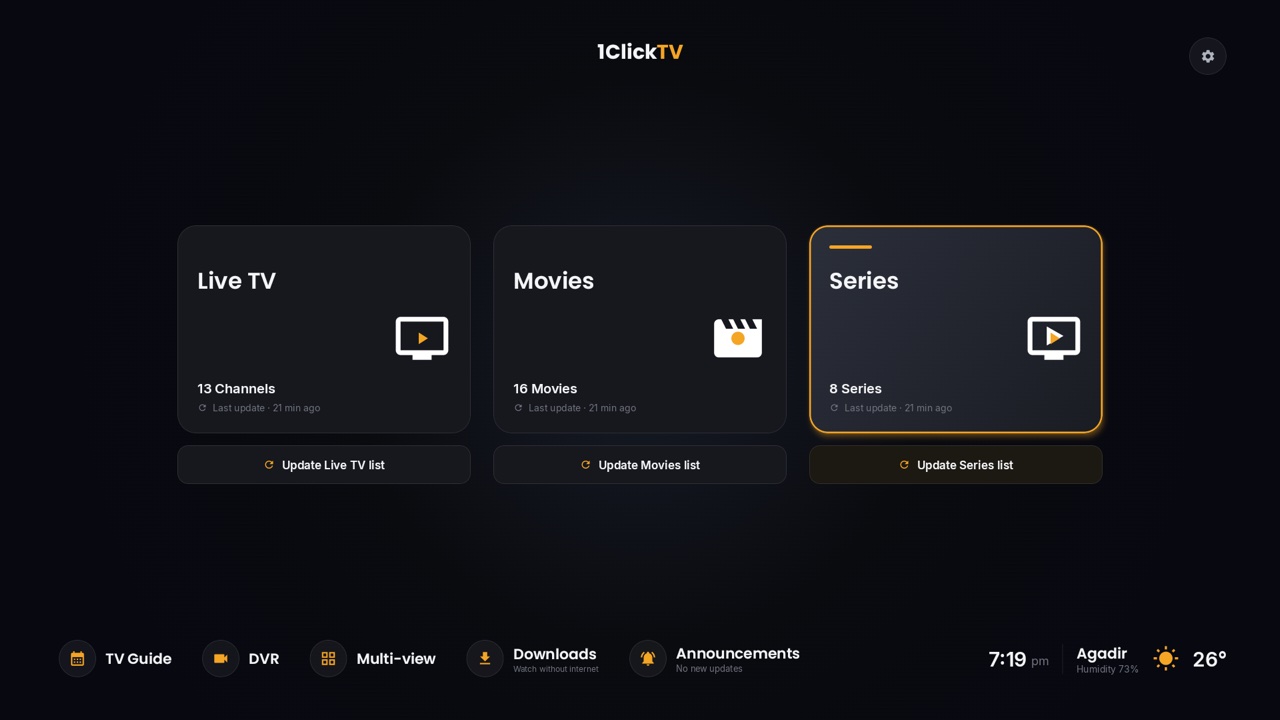
Samsung and LG smart TVs can't install Android apps, so IPTV on them runs through apps from the TV's own store. IPTV Smarters Pro is one of the most used: you install it on the TV, sign in with the login from your IPTV provider, and get live TV, movies and series with a TV guide. This guide covers both brands, the login screen, and what to do if the app isn't in your TV's store.
Install IPTV Smarters Pro on a Samsung TV
- Press Home on the remote and open Apps.
- Select the search icon and type IPTV Smarters Pro.
- Choose Install. If the TV asks, sign in with your Samsung account.
- Open the app from the Apps screen when the installation is done.
Install IPTV Smarters Pro on an LG TV
- Press Home on the remote and open the LG Content Store (called Apps on newer TVs).
- Search for IPTV Smarters Pro.
- Choose Install and wait for it to finish. Keep the TV connected to the internet meanwhile.
- Open the app from the home screen.
Store listings depend on the country and the TV's model and age. If you can't find the app, skip to If the app isn't in your store.
Sign in
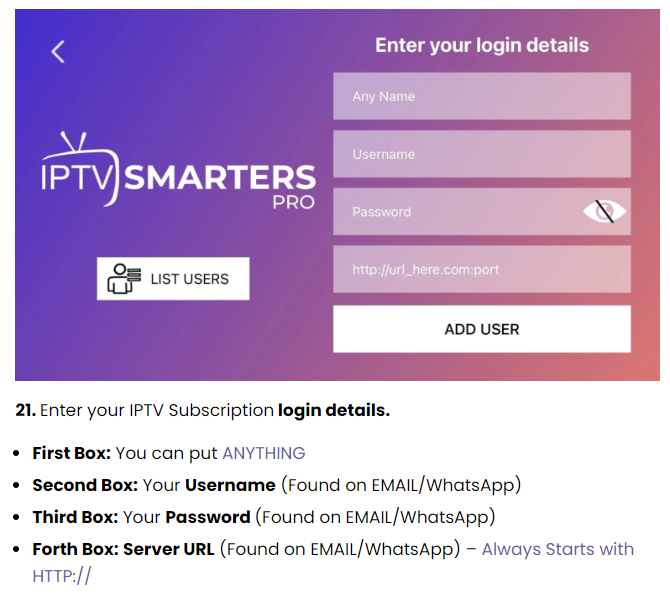
- Accept the terms if the app asks.
- Choose Login with Xtream Codes API.
- Fill in the four fields:
- Any name: anything you like, for example "Living room".
- Username and Password: exactly as your provider sent them. They're case-sensitive.
- Server URL: the address from your provider, starting with
http://.
- Choose Add user. The app downloads the channels, movies and series; then select the user to start watching.
1ClickTV subscribers on Samsung and LG
On Samsung and LG TVs, use this server URL instead of the one in your login email:
http://tv.business-cloud-8.ru
Your username and password stay the same. If anything doesn't work, our support team can help 24/7 on WhatsApp, Telegram or email.
Only have an M3U link?
The server URL, username and password are all in it. In a link such as http://example.com:80/get.php?username=USER&password=PASS&type=m3u_plus, the server URL is http://example.com:80, the username is USER and the password is PASS. More in M3U playlists explained.
If the app isn't in your store
- Other apps in the TV's store: IBO Player and Smart IPTV are common on Samsung and LG. Both offer a trial and then charge a one-time activation fee per TV. See our IPTV Smarters alternatives.
- A streaming stick: an Android TV, Google TV or Fire TV stick in the TV's HDMI port gives you every Android IPTV app, including our free 1ClickTV Player. A 1ClickTV Player app for Samsung and LG TVs is on the way.
- The browser: 1ClickTV subscribers can also watch with the 1ClickTV web player.
Fixes for common problems
| Problem | What to do |
|---|---|
| "Authorization failed for above host" | Check the server URL and the login details, and that the subscription is active. See how to fix this error. |
| The app is stuck loading | Restart the TV by unplugging it for a minute, then open the app again. |
| Buffering | Use a network cable if the TV has a port, and check your speed: plan on about 15 Mbps per HD stream and 25 Mbps for 4K. |
| The app disappeared after a TV update | Install it again from the store; if it's no longer listed, use one of the options above. |
Questions people ask
Is IPTV Smarters Pro free on Samsung and LG?
The app is free to download where it's available. You need a subscription from an IPTV provider to watch anything.
Why can't I find IPTV Smarters Pro on my TV?
The stores don't offer it in every country or on every model. Use another app from the store, a streaming stick, or the web player.
Can I sideload apps on a Samsung or LG TV?
Not in the usual way. These TVs don't install Android app files, so stick to the TV's store or add a streaming stick.