IPTV Smarters Pro is one of the most widely used IPTV players, but it isn't the best fit for everyone. People switch for a faster TV interface, for recording or multi-view, to combine several playlists, or simply because Smarters isn't in their TV's app store. Here are eight alternatives, what each does best, and how to choose.
All of them are players: they come without channels and work with the login from your own IPTV provider, an Xtream Codes login or an M3U link.
The eight at a glance
| App | Devices | Price | Best for |
|---|---|---|---|
| 1ClickTV Player | Android TV, Google TV, Fire TV, Android phones and tablets | Free | Everything included at no cost |
| TiviMate | Android TV, Google TV, Fire TV | Free; Premium paid | A TV-guide-first interface |
| Kodi | Almost every device | Free, open source | Tinkerers who want one media centre |
| OTT Navigator | Android, Android TV | Free; extras paid | Lots of settings for big playlists |
| IBO Player | Samsung, LG, Android, Fire TV | Trial, then a one-time fee per device | Smart TVs |
| Smart IPTV | Samsung, LG, Android TV, Fire TV | One-time fee per device | A simple M3U player on smart TVs |
| VLC | Computers, phones, tablets | Free, open source | Quickly testing a playlist |
| Plex with Threadfin | Everywhere Plex runs | Free; Plex Pass to record | Live TV next to your own media library |
Prices and store listings change, and on smart TVs they can differ by country and model; check the store on your own device.
1. 1ClickTV Player
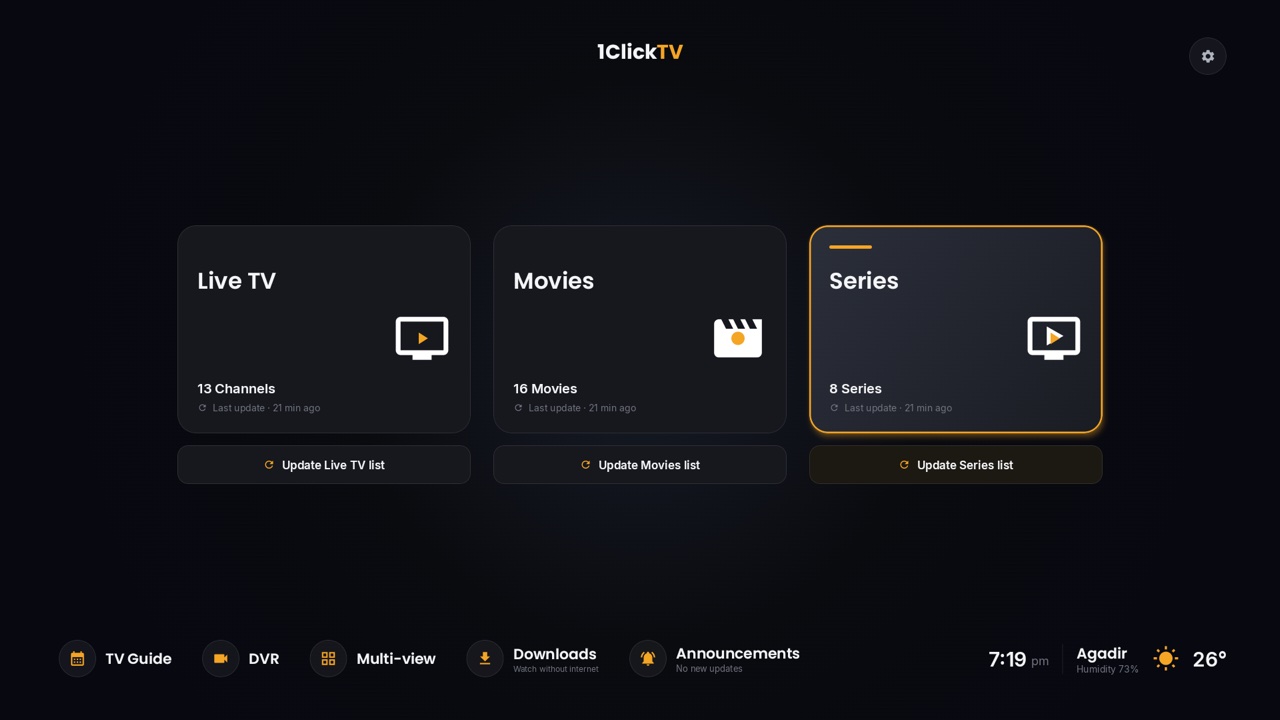
Our free player for Android devices. It includes the features other players keep for a paid version: recording, multi-view, catch-up, profiles with parental controls, several playlists in one library, and downloads to watch offline on phones and tablets. It's built for the remote, and you can type logins on your phone with a QR code. Not available yet on Samsung and LG TVs, and it can't be installed on the Fire TV Stick 4K Select or the 2026 Fire TV Stick HD. More about 1ClickTV Player.
2. TiviMate
A favourite on Android TV and Fire TV for its clean TV guide and fast channel switching. The free version covers the basics; Premium, bought in the TiviMate Companion app, adds several playlists, recording and catch-up. It's made for TV screens only. How to install and set up TiviMate.
3. Kodi
A free, open-source media centre that plays IPTV through the PVR IPTV Simple Client add-on, on nearly every platform. It's flexible, but setting it up takes longer than a dedicated player. How to add an IPTV playlist to Kodi.
4. OTT Navigator
An Android player with deep settings: channel sorting, filters, catch-up and recording. Good for very large playlists, though the number of options can feel busy at first.
5. IBO Player
One of the players most often used on Samsung and LG smart TVs, where Android apps can't be installed. You get a trial period, then pay a one-time activation fee per device on the developer's website.
6. Smart IPTV
A long-standing, simple player for smart TVs. You upload your M3U link on the developer's website using the TV's MAC address, and pay a one-time fee per device after the trial. It plays channels well but offers little beyond that.
7. VLC
The free media player most people already have. It opens an M3U link from Media → Open Network Stream, which makes it handy for checking a playlist, but it has no real TV guide, so it isn't a daily IPTV player.
8. Plex with Threadfin
If you already use Plex, Threadfin turns your IPTV playlist into a tuner Plex understands, so live channels sit next to your films and series, with a guide and, with Plex Pass, recording. How to add IPTV to Plex.
Which one should you pick?
- Android TV, Google TV or a Fire TV on Fire OS: 1ClickTV Player if you want everything free, TiviMate if you prefer its guide.
- Samsung or LG TV: an app from the TV's own store, such as IBO Player or Smart IPTV; see IPTV on Samsung and LG TVs.
- Android phone or tablet: 1ClickTV Player, which also downloads to watch offline.
- Computer: VLC to test, Kodi or Plex for everyday viewing.
Questions people ask
Why is IPTV Smarters not working?
The most common message, "Authorization failed for above host", comes from the login, not the app. See how to fix it.
Do these apps include channels?
No. They're players; you add the login from your own authorized provider.
Can I use the same login in two apps?
Yes, but only as many can play at once as your plan has connections.