An M3U playlist is how most IPTV services hand you their channels. It's a simple list: the name of each channel, its logo, its group and the address of its stream. Your IPTV app reads the list and turns it into a channel list you can browse. This guide explains what's inside a playlist, how it compares with an Xtream Codes login, and how to use one on your devices.
What's inside an M3U playlist
An M3U file is plain text. It starts with #EXTM3U, and then each channel takes two lines: one describing the channel and one with its stream address. A typical entry looks like this:
#EXTINF:-1 tvg-id="news1.us" tvg-logo="https://example.com/logo.png" group-title="News",News Onehttp://example.com/live/USERNAME/PASSWORD/1234.ts
- tvg-id links the channel to its entry in the TV guide.
- tvg-logo is the channel's logo.
- group-title is the category the app shows it in, such as a country or a genre.
- The second line is the stream itself.
An M3U8 file is the same format saved as UTF-8 text; the name is also used for HLS video streams. For an IPTV playlist, M3U and M3U8 work the same way.
Playlist link or playlist file?
Providers usually give you a link to the playlist rather than a file. Use the link: your app re-reads it, so new channels and fixes reach you automatically. A downloaded file stays as it was the day you saved it.
M3U link or Xtream Codes login?
| M3U link | Xtream Codes login | |
|---|---|---|
| What you enter | One long link | Server address, username and password |
| Works in | Almost every player, including VLC and Kodi | Most IPTV apps |
| Movies and series | Sometimes, depending on the link | Yes, in their own sections |
| TV guide | Needs a separate guide link | Usually loaded automatically |
If your app offers an Xtream Codes login, use it: you get live TV, movies, series and the guide in one go. Use the M3U link in apps that only take playlists.
The TV guide (EPG)
The programme guide comes from a separate link in XMLTV format. The app matches each channel's tvg-id with the guide, so if a few channels show no programmes, their IDs don't match. That's for your provider to fix, not you.
Which apps play an M3U playlist
| Device | Apps |
|---|---|
| Android TV, Google TV, Fire TV | 1ClickTV Player (free), TiviMate, IPTV Smarters Pro, Kodi |
| Android phones and tablets | 1ClickTV Player, IPTV Smarters Pro, VLC |
| Samsung and LG smart TVs | Apps from the TV's own store; see IPTV on Samsung and LG TVs |
| Computers | VLC (Media → Open Network Stream), Kodi, or Plex with Threadfin |
| Set-top boxes | The box's own IPTV app, for example MYTVOnline on Formuler |
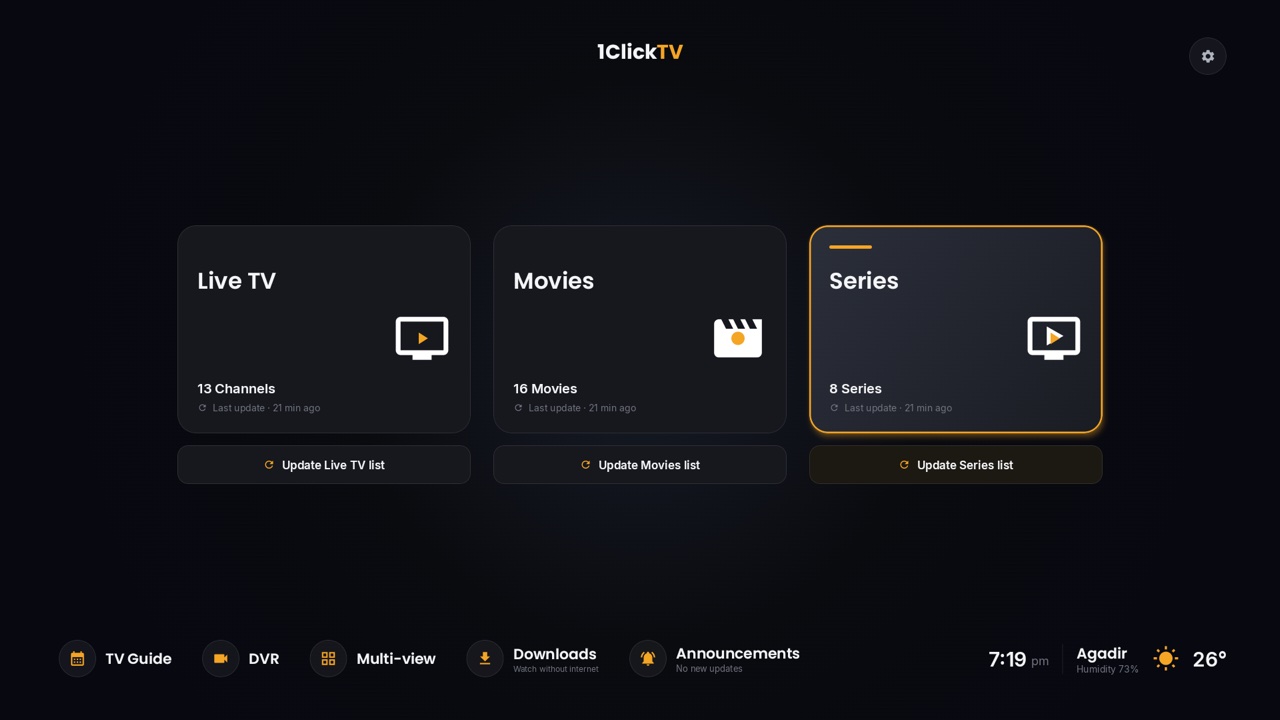
1ClickTV subscribers can also watch in the browser with the 1ClickTV web player, and find a guide for each device on the installation page.
How to add a playlist to an app
- Open the app and choose Add playlist (or Add user).
- Pick M3U URL and paste your link, or pick Xtream Codes and enter the three login details.
- Add the guide link if the app asks for one.
- Wait while the app loads the channels. Large playlists take a minute or two.
Keep your playlist link private
Your link contains your username and password. Anyone who has it can use your subscription, and your plan only allows a set number of streams at a time, so shared links lead to "account in use" errors and can get an account blocked. Don't post it in groups or forums. If you think it has leaked, ask your provider for new login details.
When a playlist doesn't work
- Nothing loads: check for typos and missing characters, and check that your subscription is active.
- Channels but no guide: add the guide link, or wait for it to finish loading.
- Some channels buffer: test your connection at the same time of day; plan on about 15 Mbps per HD stream and 25 Mbps for 4K.
- "Account in use" or a connection error: the playlist is already playing on as many devices as your plan allows.
Questions people ask
Where do I get an M3U playlist?
From your IPTV provider, with your subscription. Free lists found online are a different thing; see public IPTV playlists explained.
Can I edit an M3U playlist?
Yes, it's plain text, but most apps let you hide, sort and rename channels without touching the file. Editing a copy means you lose automatic updates.
Does 1ClickTV give an M3U link?
1ClickTV subscribers get login details that work in the apps above. If you need a specific format, ask our support team. See the plans.